
Linking to Videos
To create a link to a video in database, you need to use vendor-produced persistent URLs because the URL in the address bar won't work later. This guide will lay out basic instructions for finding the stable URL in Encyclopaedia Britannica, and Theatre in Video.
Launch a video in Encyclopaedia Britannica.
Click the Share button:
From the new window, copy the URL and paste it in Sakai or syllabi:

Click the Share button:
From the new window, copy the URL and paste it in Sakai or syllabi:
Choose a video in Theatre in Video.
Beneath the player, click the Share button:
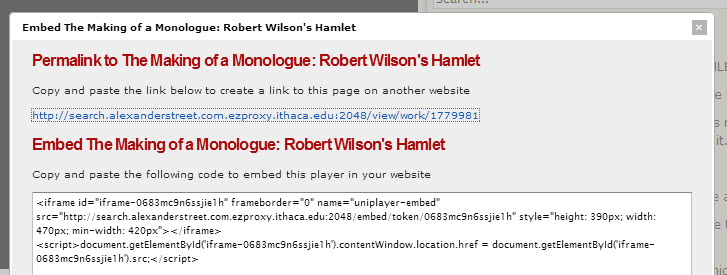
From the pop up window, copy and paste the URL or the embed code to incorporate the player into a website:
Beneath the player, click the Share button:
From the pop up window, copy and paste the URL or the embed code to incorporate the player into a website:

